

On this page
- What is OpenAI Codex, and why does it change the security model?
- How Codex's security model works
- The top 6 security risks in OpenAI Codex
- 1. Command injection and remote code execution
- 2. Supply chain and malicious dependencies
- 3. Prompt injection and steered exploit writing
- 4. Over-permissive sandbox and approval modes
- 5. Data retention and privacy
- 6. Autonomy at scale
- What Codex's built-in security covers, and what it doesn't
- Best practices to secure OpenAI Codex
- Where built-in controls stop: securing the agent at prompt time
- Frequently asked questions
- Is OpenAI Codex safe?
- What is the difference between Codex and "Codex Security"?
- Does Codex run code in a sandbox?
- Can Codex leak my GitHub token or credentials?
- Does Codex send my code to OpenAI?
- Which Codex sandbox/approval mode should I use?
- How is Codex security different from Claude Code, Cursor or GitHub Copilot?
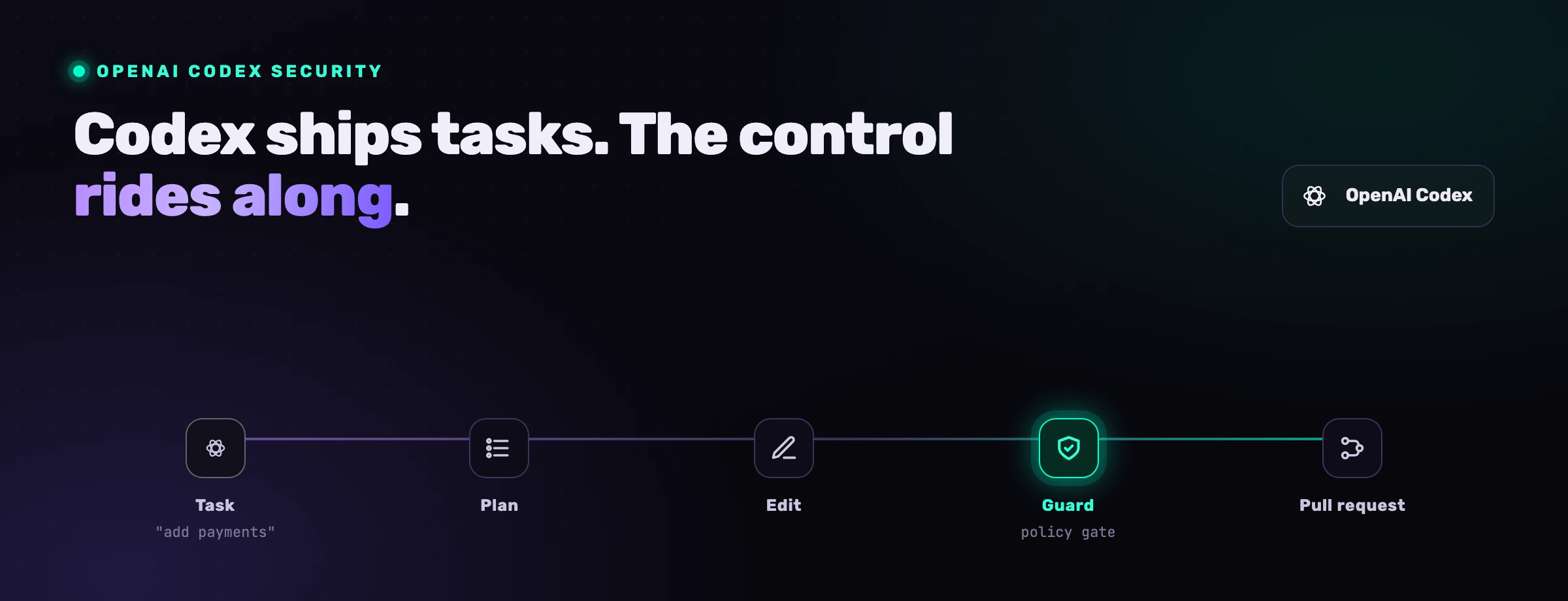
OpenAI Codex is not an autocomplete. It reads your repository, edits files across the tree, runs shell commands and opens pull requests on your behalf, from the terminal, the IDE, the cloud and through an SDK. That is what makes it useful, and it is also what makes it a security surface no IDE assistant ever was. Its sandbox, its approval modes and its network defaults reduce the risk meaningfully. They do not remove it. This guide covers the real risks, what the native controls actually protect against, the best practices that close the gap, and the one layer that the built-in model assumes you already have.
What is OpenAI Codex, and why does it change the security model?
OpenAI Codex is OpenAI's agentic coding tool. It works wherever the developer already works: a Codex CLI in the terminal, an IDE extension, a cloud and multi-agent mode that runs tasks asynchronously, and an SDK for wiring Codex into your own automation. It acts on natural-language instructions: analyze a codebase, generate a feature, run the tests, fix the failures, open a pull request. It connects to GitHub, runs alongside build systems, and can be pointed at a repository and left to work.
A naming clarification first, because it trips up almost everyone searching for this topic. "Codex" in this article means the coding agent (CLI, IDE extension, cloud and SDK). Separately, OpenAI shipped a feature literally called Codex Security: an agent that connects to a repository, builds a codebase-specific threat model, scans commit history, validates candidate vulnerabilities in an isolated environment, and proposes fixes for human review. The two are easy to confuse. This guide is about securing the Codex coding agent. Codex Security, OpenAI's own vulnerability-finding capability, is covered briefly below as one assistive input, not a full security program.
That agentic property is the one that breaks the old security model. A traditional IDE assistant suggests completions; a human accepts or rejects each one. The blast radius of a bad suggestion is one block of code that a developer still has to paste in. Codex takes actions instead. It reads files you did not name, executes commands you did not type, edits code across the tree, and in cloud mode it can run for a long time without anyone watching. The attack surface is no longer "what code did the model suggest." It is "what can this agent do with the access it has, and who gets to influence its instructions."
A suggestion is a draft a human chooses to accept. An action is a thing that already happened. The security model has to move from reviewing drafts to constraining actions.
There is a second shift that matters even more, and it is about speed. The pull request became the home of application security because it sat at human cadence: a person slowed down, read the diff, and only then merged. Codex, especially in cloud and multi-agent mode, does not run at human cadence. A single session can ship more code in an afternoon than a reviewer reads in a week. When that happens, the diff stops being a checkpoint and becomes a transcript of decisions already made. Any control that only acts at the pull request is now reviewing history, not preventing it.
For most teams the practical question is not whether Codex has built-in protections. It does, and they are sensibly designed. The question is whether those protections are enough for day-to-day use. The honest answer is no. OpenAI's own "Running Codex safely" guidance frames sandboxing and approvals as defense in depth, not a complete boundary, and the moment you switch to full-access mode or enable network access in the sandbox, those guardrails come off by design. Secure adoption still depends on permissions, sandbox discipline, human oversight, and independent validation across code, dependencies and pipelines.
How Codex's security model works
Codex's model is built around three ideas: run work inside a sandbox, ask before doing anything that escapes it, and keep the network closed unless you open it. In practice that surfaces as a handful of controls.
OS-level sandbox
Codex runs commands inside an operating-system sandbox enforced by the platform (Seatbelt on macOS, Landlock and seccomp on Linux, a dedicated sandbox on Windows). Defaults limit writes to the active workspace and, in the cloud, disable network access entirely. The sandbox is what keeps a stray command from touching the rest of the machine.
Approval and sandbox modes
Codex exposes a small ladder of presets. read-only runs only known-safe reads automatically. auto (the workspace-write sandbox with on-request approval) lets it read, edit and run routine commands inside the workspace, and asks before anything riskier. full-access (danger-full-access) drops the boundary entirely. --ask-for-approval tunes how often it pauses, down to never.
Network off by default
In the cloud environment, outbound network access is disabled unless you explicitly enable it. Inside the local workspace-write sandbox, network access is a configurable option that ships off. This is the single most important default, because most exfiltration paths need the network to leave the box.
Codex Security (assistive)
OpenAI's separate Codex Security agent builds a threat model from your repository, scans history, validates findings in isolation, and proposes patches for review. It is a useful extra pair of eyes on the code Codex (or anyone) writes, not a runtime control over what the coding agent does.
It is a genuinely thoughtful baseline, and most of this list did not exist in IDE assistants a generation ago. The trap is reading it as a finished security boundary. OpenAI is explicit that auto mode is a middle ground rather than a guarantee, that full-access and the --dangerously-bypass-approvals-and-sandbox flag remove the sandbox on purpose, and that enabling network access inside the sandbox is a deliberate trade of safety for capability. Every control on this list has a documented way to turn it off, and the next section is about what happens when you do, or when an attacker does it for you.
The top 6 security risks in OpenAI Codex
The risks below are not theoretical. They map to documented vulnerabilities, published research and the OWASP Top 10 for LLM Applications. The numbers that frame them are the same numbers every AppSec team is now quoting.
of AI-generated code was vulnerable across MITRE Top-25 security scenarios (NYU, Asleep at the Keyboard)
prompt injection, the top LLM risk for the 3rd year running (OWASP LLM01)
of AI coding-agent solutions were secure, vs 61% functionally correct (Carnegie Mellon SusVibes)
1. Command injection and remote code execution
Codex writes and runs system-level code, so a flaw in how it handles its own inputs becomes a path to code execution. This is not hypothetical. BeyondTrust Phantom Labs disclosed a critical command-injection vulnerability in OpenAI Codex that enabled theft of GitHub User Access Tokens, with the payload smuggled through a GitHub branch name and hidden from the interface using invisible Unicode characters. Because it lived in the task-creation request, it affected the ChatGPT website, the Codex CLI, the Codex SDK and the Codex IDE extension at once.
OpenAI remediated it (an initial hotfix within a week of the December 2025 report, stronger shell protections and reduced token scope by early 2026, ultimately rated Critical Priority 1), so this specific bug is closed. It remains the clearest illustration of the surface: an agent that executes shell commands on your behalf turns any unsanitized input it reads, a branch name, a filename, a tool response, into a potential injection point. The danger compounds when the agent runs with broad shell access and a permissive mode, because a chain of individually harmless commands can install a dependency, alter a CI configuration, or open a persistence mechanism.
2. Supply chain and malicious dependencies
Codex installs packages, clones repositories and runs setup scripts as part of normal work, and its own popularity has made it a target. TechRadar and other outlets reported on an npm package, codexui-android, that posed as a remote UI for Codex, drew roughly 29,000 downloads, and after a clean initial release pushed an update that quietly exfiltrated the contents of the Codex credential file (~/.codex/auth.json), access, refresh and ID tokens, to an attacker-controlled server. Because the refresh token does not expire, a single compromised install can grant persistent, silent access.
That incident sits inside a broader pattern. Through 2025 and into 2026, npm typosquatting and lookalike campaigns increasingly targeted AI coding tools and their ecosystems. The development workflow itself becomes the attack vector: a poisoned package.json, a malicious post-install hook, or a typosquatted helper can turn a routine "set up this repo" prompt into credential theft. Package hallucination compounds it, an agent that confidently invents a plausible-but-nonexistent package name hands an attacker a slot to register and weaponize.
3. Prompt injection and steered exploit writing
Prompt injection is the defining risk of agentic coding tools, and it is OWASP's number-one LLM risk for the third year running (LLM01). An attacker hides instructions in something the agent reads, a file, a web page, an issue, a dependency's README, a tool's output, and the agent follows them, overriding its intended behavior.
The agentic setting makes the payoff worse, because Codex does not just answer; it acts and it writes system-level code. A steered agent can be pushed to write an exploit, weaken an authorization check, add an unsafe deserialization path, or wire in a backdoor that reads correct to a tired reviewer. The dangerous form is indirect: you do not have to paste a malicious prompt, you only have to point Codex at a poisoned repository or let it consume hostile tool output. Because a language model cannot reliably separate a trusted instruction from a malicious one embedded in data, the injection can lead to command execution, data exfiltration or silent code manipulation.
4. Over-permissive sandbox and approval modes
Codex's safety rests on its sandbox and its approval prompts, and both can be lowered with a single flag. Choosing full-access (danger-full-access), or enabling outbound network access inside the workspace-write sandbox, trades the guardrail for capability, and OpenAI says so plainly. With the sandbox open and the network reachable, the same agent that was contained a moment ago can now write outside the workspace and send data anywhere.
The mechanism that erodes this in practice is approval fatigue. When the agent pauses repeatedly, people reach for --ask-for-approval never, or for the full-auto preset, to make the prompts go away. Within a week the careful default has quietly become a blanket grant, and nobody decided to make it so. The team-level version is worse: one developer runs read-only, another runs full-access because it was faster on a Friday, and the moment they share a repository or an automated workflow, the weakest configuration sets the real posture for everyone.
5. Data retention and privacy
Codex is useful because it has context, and that context routinely includes more than the file in front of you: adjacent source, configuration, environment variables and sometimes credentials. Agents generate and transmit large amounts of private code serially, prompt after prompt, task after task. For sensitive or regulated codebases, the right question is not only "is the connection encrypted" but "what is stored, for how long, where, and who can reach it."
Exposure is often indirect rather than dramatic. While summarizing a repository or debugging an error, the agent can surface a token or an internal endpoint into output that then lands in a pull request, a ticket or a chat, where it lives long after the session ends. Organizations adopting Codex at scale should review OpenAI's data-handling and retention terms for the surface they use (the API, business and enterprise tiers differ), keep secrets and regulated data out of the agent's reach, and treat anything the agent emits as potentially logged.
6. Autonomy at scale
The capability that makes Codex compelling, run a task and come back to a finished pull request, is also the one that widens the review gap. In cloud and multi-agent mode, Codex can make large, sweeping changes across many files with little human attention in between. The more autonomous and the longer-running the task, the larger the diff, and the smaller the share of it a human actually reads before approving.
That matters for security because the window for an insecure or malicious change to land grows with the size of the unread diff. A subtle authorization regression, an injected dependency, or a quietly weakened validation is far easier to miss in a 2,000-line autonomous change than in a 20-line one a developer typed deliberately. Autonomy does not create new vulnerability classes so much as it removes the natural friction that used to catch them, which is precisely why the controls below lean so hard on review, scoping and prompt-time governance.
What Codex's built-in security covers, and what it doesn't
The native controls are real, and it helps to be precise about the line between what they handle and what they leave to you.
Read the right-hand column as the actual job. The built-in controls are the floor: the sandbox and the network default keep an honest mistake, or a single steered command, from becoming a machine-wide disaster. They were not designed to stop a determined adversary who controls the agent's inputs, and OpenAI does not claim they were. Everything that turns "Codex is installed" into "Codex is governed" lives in the practices that follow.
Best practices to secure OpenAI Codex
These nine practices close the gap between the native baseline and a real security posture. None of them are exotic; the discipline is in applying them consistently across a team that is moving fast.
-
Keep the sandbox on and full-access off. Default to
read-onlyfor exploration andauto(workspace-write) for real work, and treatfull-access(danger-full-access) and--dangerously-bypass-approvals-and-sandboxas throwaway-container-only. Confirm the OS sandbox is actually engaged on each platform you run, and never disable it on a machine that can reach real credentials or production hosts. -
Leave the network closed unless a task truly needs it. The cloud default of no outbound access is the most valuable guardrail Codex ships, because exfiltration usually needs the network. Enable network access in the
workspace-writesandbox only for the specific task that requires it, scope it to known destinations where you can, and turn it back off afterward rather than leaving it open by habit. -
Apply least privilege to repositories and tokens. Give Codex access only to the repositories a task needs, prefer short-lived, narrowly scoped GitHub tokens over broad persistent ones, and rotate them on a schedule rather than waiting for an incident. The BeyondTrust disclosure is a reminder that a single leaked GitHub token can reach every repository it was granted, so the scope of the token is the scope of the breach.
-
Govern dependencies and packages. Restrict installs to trusted registries or internal mirrors, require approval for new packages, and scan everything with software composition analysis. Do not let the agent auto-install obscure or unverified packages however confidently it suggests them, verify that a suggested package actually exists before it is added, and be especially wary of helper tools that wrap Codex itself, that is exactly where the
codexui-androidtoken stealer lived. -
Keep a human in the loop on generated code. Treat Codex output as a draft, not a final implementation, and size review to the size of the change. Route generated and modified code through pull-request review and automated testing, with extra scrutiny on authentication, input validation and privileged paths. The point is not distrust of the model; it is that an agent producing thousands of lines a day, especially in cloud mode, will produce subtle flaws faster than they surface on their own.
-
Run untrusted work in isolation. When pointing Codex at an unfamiliar repository, a third-party issue, or anything you did not author, run it in a container or VM with no host secrets mounted and no path to production. Indirect prompt injection arrives through exactly this kind of content, so the cheapest defense is to make sure a steered agent has nothing valuable within reach.
-
Manage secrets out of reach. Keep plaintext secrets out of the agent's context entirely: use a vault and inject at runtime, redact sensitive values in logs, and do not let the agent read credential files or
.envcontents it does not need. Protect the Codex credential file itself (~/.codex/auth.json) as the high-value target it is, and if a secret ever appears in a transcript or output, rotate it immediately and investigate how it got there. -
Constrain autonomy in cloud and multi-agent mode. Scope long-running and asynchronous tasks tightly, prefer several reviewable changes over one sweeping one, and require human approval before a Codex-authored branch merges into anything protected. The larger the autonomous diff, the more deliberate the review has to be, so set expectations (and branch-protection rules) that match the volume Codex can produce.
-
Set policy by repository and environment sensitivity. Classify repositories (public, internal, regulated, production) and apply stricter controls to the sensitive ones: read-only or tightly scoped modes, network closed, deny secret access, require stronger review. Run Codex against critical systems only in environments with no direct path to production credentials, and document the policy so developers know where AI help is allowed and under what constraints. Use Codex Security and traditional SAST as assistive inputs to that review, not as a substitute for it.
Where built-in controls stop: securing the agent at prompt time
Walk back through the risks and a pattern emerges. The sandbox, the approval modes and the review step all act on what the agent has already decided to do, or on code it has already written. They cluster around the pull request, because that is where AppSec has always lived. But the PR was only ever a control point because a human read it, and at agent cadence, especially in cloud mode, nobody reads it end to end anymore.
The place to enforce a rule is no longer the diff; it is the prompt, before the unsafe line is written. Whatever rule you want the agent to follow has to be in its hands at the moment it writes, not waiting in a scanner that arrives once the code is on disk and the agent has moved on to the next task.
That is the layer VibeDefend adds. It is a free npm CLI that installs with one command and wires OpenAI Codex (plus Claude Code, Cursor, Windsurf and VS Code Copilot) into four governance layers that run inside the agent loop.
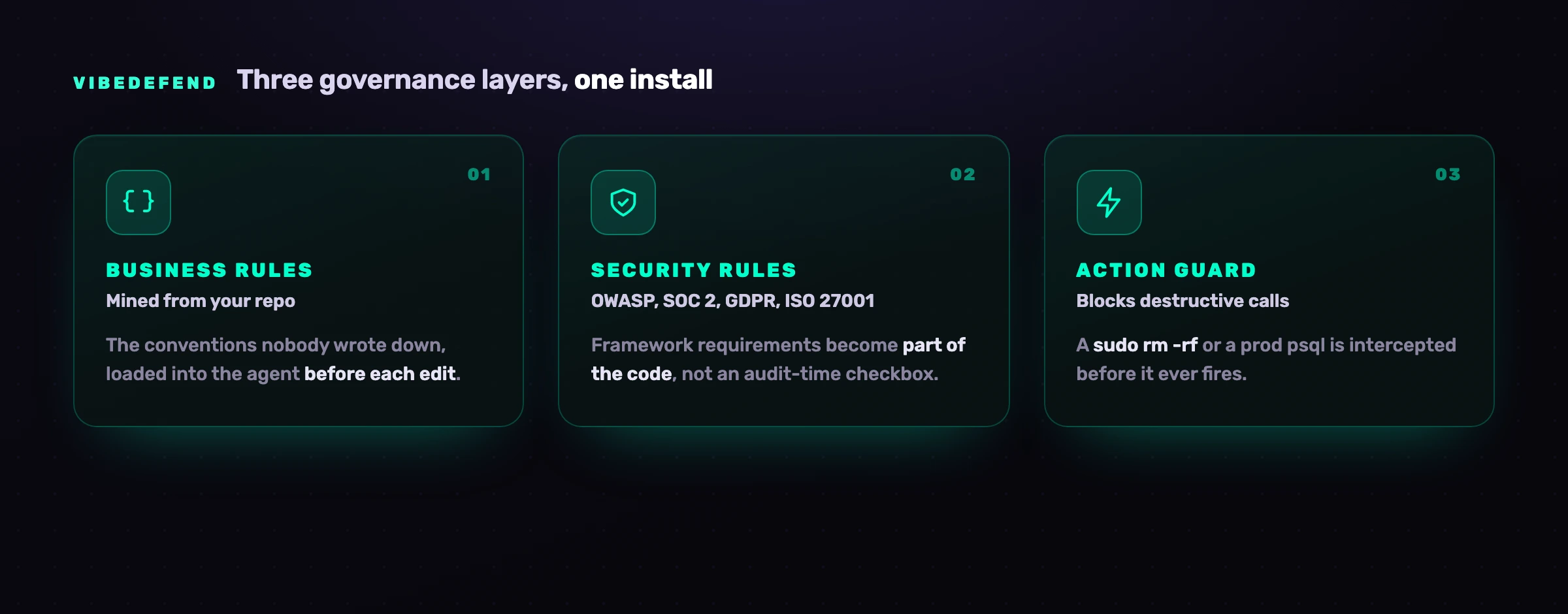
Business Rules The conventions in your repo that were never written down (use Decimal128 for money, authorization goes through requireOwner). VibeDefend mines them from how your team already codes and loads them into the agent's context before each edit. Security Rules OWASP Top 10, SOC 2, GDPR and ISO 27001, loaded the day you install. The agent reads the applicable reminder before it writes, so the framework requirement becomes part of the code instead of an audit-time checkbox. Action Guard Destructive calls (a sudo rm -rf, a raw read of a secret-shaped env var, an ad-hoc psql against a production host) are intercepted before they fire. Warn or block per rule, with every interception in the audit trail. Live Findings Every result from CybeDefend's scanners (SAST with reachability, SCA, secrets, IaC and CI/CD) is live in the agent's context, so it does not only write safe code, it triages and fixes the vulnerabilities you already have.
Where your code goes matters for a control this close to it, so here it is plainly. The action guards decide on your laptop, before a command runs. To serve the rules that fit the line being written, VibeDefend sends a short excerpt of that code to the CybeDefend backend, and the scan before the commit sends the changed files, both in the EU or US region you pick at install, and your code is never used to train a model. The two regions are physically separate. Knowing exactly what leaves the laptop matters all the more for an agent whose own credential file has already been a theft target.
This is not a replacement for the practices above. It is the missing layer they assume exists: the one that puts your rules in the agent's hands at prompt time, so the insecure line is rewritten before it is ever suggested, instead of caught three stages later by a scanner reading a diff nobody had time to read. The sandbox stops the agent from doing what it must not do; VibeDefend shapes what it writes in the first place.
Frequently asked questions
Is OpenAI Codex safe?
OpenAI Codex is safe to use when it is sandboxed and scoped, and risky when it is not. Its OS-level sandbox, tiered approval modes and network-off-by-default behavior in the cloud prevent a large class of accidents and contain most stray commands. The residual risk comes from configuration (full-access mode, network enabled, approvals disabled), from inputs (prompt injection, malicious repositories and packages), and from autonomy at scale (large cloud changes that go under-reviewed). Treat it as a powerful agent that needs least privilege, isolation and human review, not as a tool that is secure out of the box.
What is the difference between Codex and "Codex Security"?
They are two different things from OpenAI that share a name. Codex is the agentic coding tool: the CLI, IDE extension, cloud mode and SDK that read your repo, edit files, run commands and open pull requests. Codex Security is a separate vulnerability-finding agent that connects to a repository, builds a threat model, scans commit history, validates candidate issues in isolation, and proposes fixes for human review. This guide is about securing the Codex coding agent. Codex Security is one assistive input to code review, useful as an extra set of eyes, not a complete security program.
Does Codex run code in a sandbox?
Yes. Codex executes commands inside an operating-system sandbox: Seatbelt on macOS, Landlock and seccomp on Linux, and a dedicated sandbox on Windows. By default, writes are limited to the active workspace and, in the cloud environment, outbound network access is disabled. Those defaults are the core of its safety model. They can be lowered deliberately with full-access (danger-full-access) or by enabling network access inside the workspace-write sandbox, and OpenAI is explicit that doing so removes the protection on purpose.
Can Codex leak my GitHub token or credentials?
It can if you are not careful, and there is precedent. BeyondTrust Phantom Labs disclosed a command-injection vulnerability that let attackers steal GitHub User Access Tokens via a crafted branch name across the ChatGPT website, Codex CLI, SDK and IDE extension; OpenAI has since remediated it. Separately, a malicious npm package posing as a Codex helper exfiltrated the Codex credential file (~/.codex/auth.json) from roughly 29,000 installs. Defend the token by scoping it narrowly, rotating it, vetting any helper tools, and protecting the credential file as a high-value secret.
Does Codex send my code to OpenAI?
Codex sends the context it needs to OpenAI's models to generate responses, which can include code, file contents and the surrounding context of your task. What is stored and for how long depends on the surface you use and your tier (API, business and enterprise terms differ on retention and training). For sensitive code, choose a tier and configuration that match your data-handling requirements, keep secrets and regulated data out of the agent's reach, and review retention policies. An added layer like VibeDefend sends some code too: a short excerpt to serve the rules and the changed files for the scan before the commit, to the EU or US region you pick at install, never used to train a model.
Which Codex sandbox/approval mode should I use?
For most work, read-only to explore and auto (the workspace-write sandbox with on-request approval) to make changes, with the network left closed. Reserve full-access (danger-full-access) and --dangerously-bypass-approvals-and-sandbox for throwaway containers with no real credentials, and avoid --ask-for-approval never on any machine that can reach production or secrets. Match the mode to the sensitivity of the repository: the more critical the system, the tighter the sandbox, the more approval, and the less network the agent should have. Each flag, and exactly what it turns off, is covered in Codex danger-full-access, --yolo and "unsafe mode" explained.
How is Codex security different from Claude Code, Cursor or GitHub Copilot?
The fundamentals are shared (least privilege, secrets management, human review, dependency scanning), but the surfaces differ. Codex's distinctive surfaces are its OS sandbox plus full-access escape hatch, its command-injection and npm supply-chain incidents, and the review gap from autonomous cloud mode. Claude Code leans on deep MCP and shell integration; Cursor has had Workspace Trust disabled by default; GitHub Copilot has battled insecure suggestions and secret leakage at scale. We cover each agent in its own guide.