

On this page
- What is GitHub Copilot, and why does it change the security model?
- How GitHub Copilot's security model works
- The top 6 security risks in GitHub Copilot
- 1. Insecure code suggestions
- 2. Secrets leakage
- 3. Package hallucination and supply chain (slopsquatting)
- 4. Data privacy, IP and licensing
- 5. Prompt injection in Copilot Chat and the coding agent
- 6. Over-trust without review
- What GitHub Copilot's built-in security covers, and what it doesn't
- Best practices to secure GitHub Copilot
- Where built-in controls stop: securing the agent at prompt time
- Frequently asked questions
- Is GitHub Copilot safe?
- Does GitHub Copilot leak secrets?
- Does Copilot train on or store my code?
- What are content exclusions and .copilotignore?
- Does Copilot generate insecure code?
- Is Copilot's IP indemnity enough to cover legal risk?
- How is Copilot security different from Claude Code, Cursor or Codex?
- Is GitHub Copilot safe to use in regulated industries?
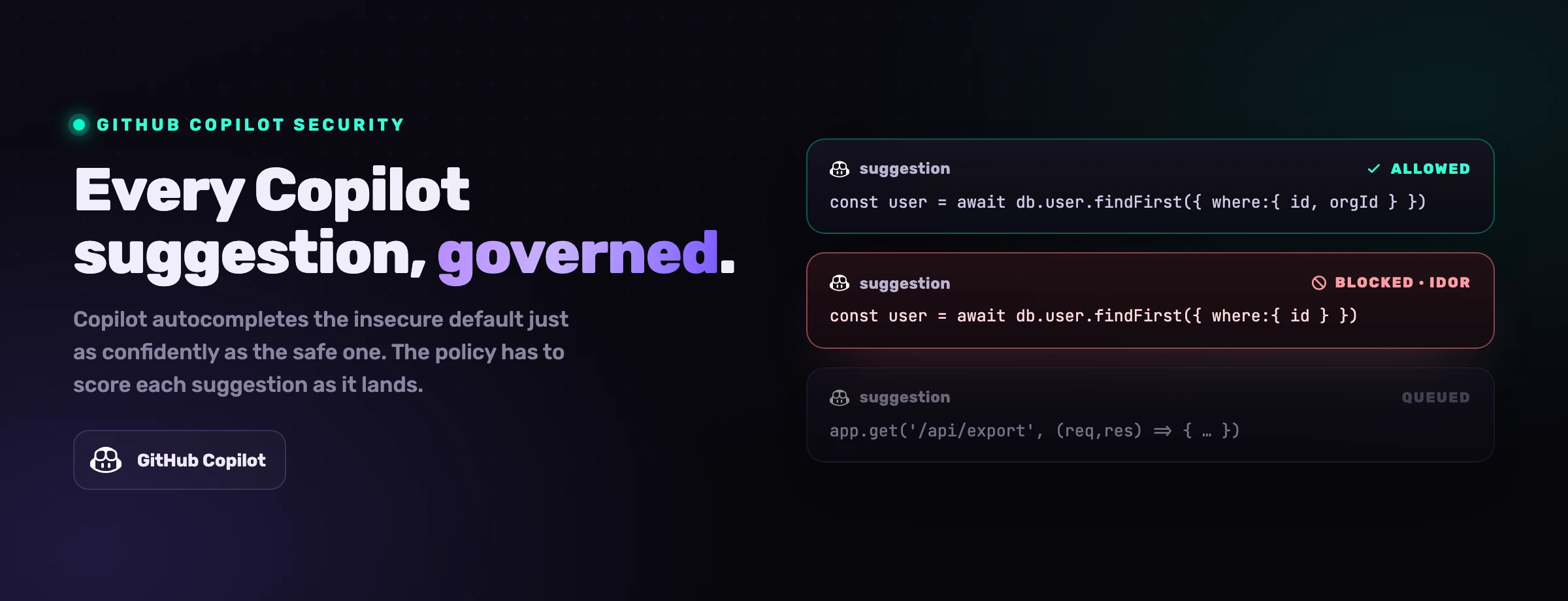
GitHub Copilot started life as an autocomplete and grew into an agent. It still finishes your line, but it also reads across your repository, chats about your code, opens pull requests and, in coding-agent mode, works a whole issue on its own. That reach is what makes it productive, and it is also what makes it a security surface. Copilot ships real controls: content exclusions, secret scanning, a public-code filter, IP indemnity, code scanning with Autofix. They reduce risk meaningfully. They do not remove it. This guide covers the real risks, what the built-in controls actually protect against, the best practices that close the gap, and the one layer the built-in model assumes you already have.
What is GitHub Copilot, and why does it change the security model?
GitHub Copilot is GitHub's AI coding assistant. Most people meet it as inline completion in VS Code, Visual Studio or a JetBrains IDE, where it suggests the next few lines as you type. But Copilot is now a family of surfaces: inline suggestions, Copilot Chat (ask questions about a file, a repo or an error), agent mode in the IDE (it reads, edits and runs across the workspace), the Copilot CLI, Copilot code review on pull requests, and the Copilot coding agent on GitHub.com, which picks up an assigned issue and works it autonomously into a pull request.
That progression is exactly what breaks the old security model. An inline completion is a draft: a human reads the gray text and presses Tab or ignores it, and the blast radius of a bad suggestion is one block of code a developer still had to accept. The newer surfaces take actions. Copilot Chat pulls in repository content and external context to answer. Agent mode edits files and runs commands. The coding agent reads an issue (which an outsider may have filed), gathers context, writes code and opens a pull request, all without a human reading each step. The attack surface is no longer only "what code did the model suggest." It is "what can this assistant read, write and act on, and who gets to influence its instructions."
A completion is a draft a human chooses to accept. An agent action is a thing that already happened. The security model has to move from reviewing drafts to constraining actions.
There is a second shift, and it is about speed. The pull request became the home of application security because it sat at human cadence: a person slowed down, read the diff, and only then merged. Copilot, especially in agent and coding-agent modes, does not run at human cadence. It can ship more code in an afternoon than a reviewer reads in a week, and a meaningful share of new code is now AI-assisted. When that happens the diff stops being a checkpoint and becomes a transcript of decisions already made. Any control that only acts at the pull request is reviewing history, not preventing it.
For most teams the practical question is not whether Copilot has built-in protections. It does, and the enterprise tier in particular is well thought out. The question is whether those protections are enough for day-to-day use. The honest answer is no, not on their own. The controls reduce risk; secure adoption still depends on configuration, secrets hygiene, dependency discipline, human review and a control that reaches the agent while it writes.
How GitHub Copilot's security model works
Copilot's security model is built around four ideas: keep sensitive files out of the model's context, catch the dangerous things it might emit (secrets, public-code matches), check the code it generates, and let organizations set policy centrally. In practice that surfaces as a handful of controls, most of them strongest on the Business and Enterprise plans.
Content exclusions and .copilotignore
Repository admins, organization owners and enterprise owners can configure content exclusions so Copilot ignores named files (secrets, config, sensitive paths) for completions, Chat and code review. In VS Code, a client-side .copilotignore lets a developer exclude files locally. Important: content exclusions do not apply to the Copilot CLI, the coding agent, or agent mode in Chat inside IDEs.
Secret scanning and push protection
GitHub secret scanning, including Copilot-assisted detection of generic secrets like passwords, plus push protection that blocks commits containing detected secrets before they reach the remote. This catches a leaked token after it lands in code, and ideally before it reaches the repository.
Public-code filter and IP indemnity
A duplicate-detection filter can block suggestions that match public code verbatim or near-verbatim. For paid plans, GitHub and Microsoft offer IP indemnity: if an unmodified suggestion draws a copyright claim, Microsoft will defend you, on the condition that the duplication filter was enabled and the suggestion used unmodified.
Code scanning, Autofix and admin policy
Code scanning (CodeQL) with Copilot Autofix suggests fixes for findings, and the coding agent runs security checks on its own output before completing a pull request. Enterprise admins layer SSO, audit logs and plan-level policy, and GitHub's Data Protection Agreement keeps Business and Enterprise data out of model training.
It is a genuinely good baseline, and several of these controls (content exclusions, push protection, IP indemnity) are things no IDE assistant offered a generation ago. The trap is reading them as a finished security boundary. Content exclusions only cover the surfaces that support them, and the agentic surfaces are exactly the ones they skip. The public-code filter catches verbatim matches, not conceptually similar code. Secret scanning catches known and generic patterns, not every custom or obfuscated format. Code scanning is assistive, not a final decision-maker. Every control on this list has a documented limit, and the next section is about what happens when you lean on them too hard.
The top 6 security risks in GitHub Copilot
The risks below are not theoretical. They map to published research, documented advisories and the OWASP Top 10 for LLM Applications. The numbers that frame them are the same numbers every AppSec team is now quoting.
of Copilot-completed programs were vulnerable in the Cornell / NYU 'Asleep at the Keyboard' study
more secrets leaked in repositories that use Copilot vs typical public repos (GitGuardian)
prompt injection, the top LLM risk for the 3rd year running (OWASP LLM01)
1. Insecure code suggestions
Copilot learns from public code, and public code is full of insecure patterns, so it reproduces them. The landmark "Asleep at the Keyboard?" study from Cornell and NYU researchers generated 1,689 programs across scenarios drawn from MITRE's Top 25 CWEs and found roughly 40% of them vulnerable. The flaws were the usual suspects: unsafe deserialization, weak or missing input validation, improper authentication and authorization, SQL built from string concatenation.
This is the slow, structural risk. No single suggestion looks alarming, and each one compiles and passes the happy-path test. But an assistant generating thousands of lines a day will reproduce subtle weaknesses faster than they surface on their own, and a developer moving at Copilot speed is less likely to scrutinize code that looks plausible than code they wrote by hand. The broader picture is consistent: independent studies keep finding a large share of AI-generated code insecure. Copilot is not uniquely bad here, it is representative of the category.
2. Secrets leakage
Copilot makes the secrets problem worse in two directions. First, it leaks more: GitGuardian's research found that repositories using Copilot leak around 40% more secrets than typical public repositories, partly because faster code production means faster accidental commits. Second, it propagates: if a secret is sitting in the context the model can see (an .env file, a config block, a hardcoded credential in a nearby file), Copilot can reuse or surface that value in a suggestion, a Chat answer or generated code.
Secret scanning and push protection are the intended backstops, and they help, but they are pattern-based. They reliably catch well-known token formats (a recognizable cloud key, a provider API token) and far less reliably catch custom, internal or obfuscated secret formats. A homegrown signing key or an internal service token that does not match a known pattern can pass straight through, get suggested by Copilot in a new file, and land in the repository before anyone notices.
3. Package hallucination and supply chain (slopsquatting)
Like every LLM-based assistant, Copilot can confidently suggest a package that does not exist. It invents a plausible name (the kind of name a real library would have), recommends installing it, and writes an import for it. On its own this is just a broken build. The danger is the adversarial twist the industry calls slopsquatting: attackers watch for these hallucinated names, register them on the public registry with malicious payloads, and wait. The next developer whose Copilot hallucinates the same name installs working malware.
The development workflow becomes the attack vector. A confident "install this and import it" turns a routine setup step into credential theft or a backdoor, and the suggestion carries the same authority as every correct suggestion that came before it. Real dependencies are not safe by default either: Copilot will happily reach for an outdated or vulnerable version of a genuine library if that is what it saw most in training.
4. Data privacy, IP and licensing
Two related concerns sit here. The privacy concern is what happens to the code Copilot sees, and GitHub changed the answer on 24 April 2026. Since then it uses the interaction data of its individual plans (Copilot Free, Pro, Pro+ and Max) to train its models unless the user opts out: prompts, suggestions accepted or edited, code snippets and the context around the cursor, file names and repository structure. A private repository at rest stays out, but the code Copilot reads while you work in it counts. Copilot Business and Enterprise are excluded by GitHub's Data Protection Agreement, so the account a developer codes with now matters: a personal account that belongs to no paid organization feeds training by default. Content exclusions still matter for sensitive files. The IP concern is the inverse: because Copilot trained on public (often licensed) code, a suggestion can resemble copyrighted material, and using it could expose you to a license or copyright claim.
GitHub's mitigations are real but scoped. The duplicate-detection filter reduces verbatim matches, and IP indemnity offers legal protection, but the indemnity is conditional: it applies to specific paid plans, requires the duplication filter to be on, and covers the suggestion only if you use it unmodified. The moment a developer edits a suggestion (which is the normal workflow) or runs with the filter off, the legal protection narrows. FOSSA and others recommend treating Copilot output as needing the same license and provenance review you would apply to any third-party code.
5. Prompt injection in Copilot Chat and the coding agent
Prompt injection is the defining risk of agentic coding tools, and it is OWASP's number-one LLM risk for the third year in a row. An attacker hides instructions in something the assistant reads, and the assistant follows them, overriding its intended behavior. Copilot's exposure grew with its surfaces: Chat reads repository content and retrieved context, and the coding agent reads issues and comments that an outside contributor can author.
The dangerous form is indirect. You do not paste a malicious prompt; a hidden instruction lives in a file, an issue, a pull-request comment or a tool's output. GitHub's own documentation on coding-agent risks and mitigations is candid about this and describes defenses: it strips hidden characters and HTML-comment content before passing user input to the agent, restricts the agent's internet access to limit data exfiltration, and keeps every coding-agent commit auditable and co-authored by the human who triggered it. Researchers have nonetheless demonstrated injection through repository and comment content against Copilot and its peers, and at least one Copilot prompt-injection issue (tracked as CVE-2025-53773) reached remote-code-execution severity before remediation. The pattern to remember: a language model cannot reliably separate a trusted instruction from a malicious one hidden in data.
6. Over-trust without review
The quietest risk is cultural. Copilot suggestions are fluent, well-formatted and confident, and that fluency invites teams to treat them as production-ready. Code that would get careful scrutiny if a junior engineer or an unknown third party submitted it gets waved through because "Copilot wrote it." The coding agent intensifies this: it opens a finished-looking pull request, and a finished-looking pull request is psychologically harder to reject than a rough draft.
Over-trust is what turns the other five risks from latent into exploited. An insecure suggestion only ships if no one reviews it. A leaked secret only persists if no one catches the diff. A hallucinated package only executes if someone runs the install without checking. The single highest-leverage control for Copilot is also the least technical: a human who still reads AI-generated code with the same skepticism they would give any other contributor.
What GitHub Copilot's built-in security covers, and what it doesn't
The native controls are real, and it helps to be precise about the line between what they handle and what they leave to you.
Read the right-hand column as the actual job. The built-in controls are the floor: they keep an honest mistake from becoming a disaster, and on the enterprise tier they are a strong floor. They were not designed to stop a determined adversary who controls the assistant's inputs, and GitHub does not claim they were. Everything that turns "Copilot is enabled" into "Copilot is governed" lives in the practices that follow.
Best practices to secure GitHub Copilot
These nine practices close the gap between the native baseline and a real security posture. None of them are exotic; the discipline is in applying them consistently across a team that is moving fast.
-
Configure content exclusions and
.copilotignoredeliberately. Exclude secrets, credential files, sensitive configuration and regulated data at the repository and organization level so they never inform completions, Chat or code review. Have developers add a.copilotignorefor local sensitive paths in VS Code. Critically, remember the gap: content exclusions do not cover the Copilot CLI, the coding agent, or agent mode in Chat, so do not let a secret sit anywhere those surfaces can read it just because an exclusion rule exists. -
Keep secrets out of context and turn on push protection. Use a secrets manager and inject at runtime so plaintext credentials never live in files Copilot can see. Enable secret scanning with push protection across the organization, and add custom patterns for your internal and homegrown secret formats, because the default detectors will miss them. If a secret ever appears in a suggestion or a transcript, rotate it immediately and investigate how it got into context.
-
Keep a human in the loop on every suggestion. Treat Copilot output as a draft from an unknown contributor, not a finished implementation. Route all generated code, including the coding agent's pull requests, through mandatory human review and automated testing, with extra scrutiny on authentication, input validation, deserialization and privileged paths. Resist the pull of the finished-looking pull request: review it as if a stranger opened it.
-
Run SAST and code scanning as a gate, not a suggestion. Enable code scanning (CodeQL) and use Copilot Autofix to accelerate remediation, but treat the security findings as a merge gate, not optional advice. Independent SAST in CI catches the insecure patterns Copilot reproduces (unsafe deserialization, injection, weak auth) before they reach a release branch.
-
Govern dependencies and defend against package hallucination. Restrict installs to trusted registries or internal mirrors, require approval for new dependencies, and scan everything with software composition analysis. Before adding any package Copilot suggests, verify it actually exists and is the genuine, maintained library, not a plausible name an attacker may have registered. Pin versions and watch for Copilot reaching for outdated, vulnerable releases of real packages.
-
Keep the public-code filter on and review provenance. Enable the duplicate-detection filter organization-wide so suggestions matching public code are blocked, which is also a precondition for IP indemnity. For any substantial block Copilot produces, apply the same license and provenance review you would give third-party code, and document that review for code that ships in a product.
-
Treat all repository and issue content as untrusted input. Because Chat and the coding agent read files, issues and comments that outsiders can author, assume any of it may contain an injected instruction. Limit who can assign work to the coding agent, scope its repository and tool access to the minimum, keep its restricted internet access in place, and review its output knowing it may have been steered. Do not give an agent that reads untrusted issues access to production credentials.
-
Use enterprise data and policy controls. Put company code on Copilot Business or Enterprise seats, whose data GitHub keeps out of model training, rather than relying on each developer to opt out of training on a personal plan. Enforce SSO and turn on audit logs. Use organization-level policy to standardize which Copilot features are enabled, who can use the coding agent, and which repositories are in scope, so security posture does not depend on each developer's local settings.
-
Set policy by repository and environment sensitivity. Classify repositories (public, internal, regulated, production) and apply stricter controls to the sensitive ones: broader content exclusions, mandatory review, no coding-agent access, tighter dependency rules. For critical systems, keep Copilot away from any direct path to production credentials, and document the policy so developers know where AI assistance is allowed and under what constraints.
Where built-in controls stop: securing the agent at prompt time
Walk back through the risks and a pattern emerges. Content exclusions, secret scanning, code scanning and review all act on what the assistant has already produced, or on inputs and outputs around the edges of the loop. They cluster around the pull request, because that is where AppSec has always lived. But the PR was only ever a control point because a human read it, and at agent cadence nobody reads it end to end anymore.
The place to enforce a rule is no longer the diff; it is the prompt, before the unsafe line is written. Whatever rule you want the assistant to follow, your auth helper, your money type, your input-validation policy, has to be in its hands at the moment it writes, not waiting in a scanner that arrives once the code is on disk and Copilot has moved on to the next suggestion.
That is the layer VibeDefend adds. It is a free npm CLI that installs with one command and wires VS Code Copilot (plus Claude Code, Cursor, OpenAI Codex and Windsurf) into governance layers that run inside the agent loop.
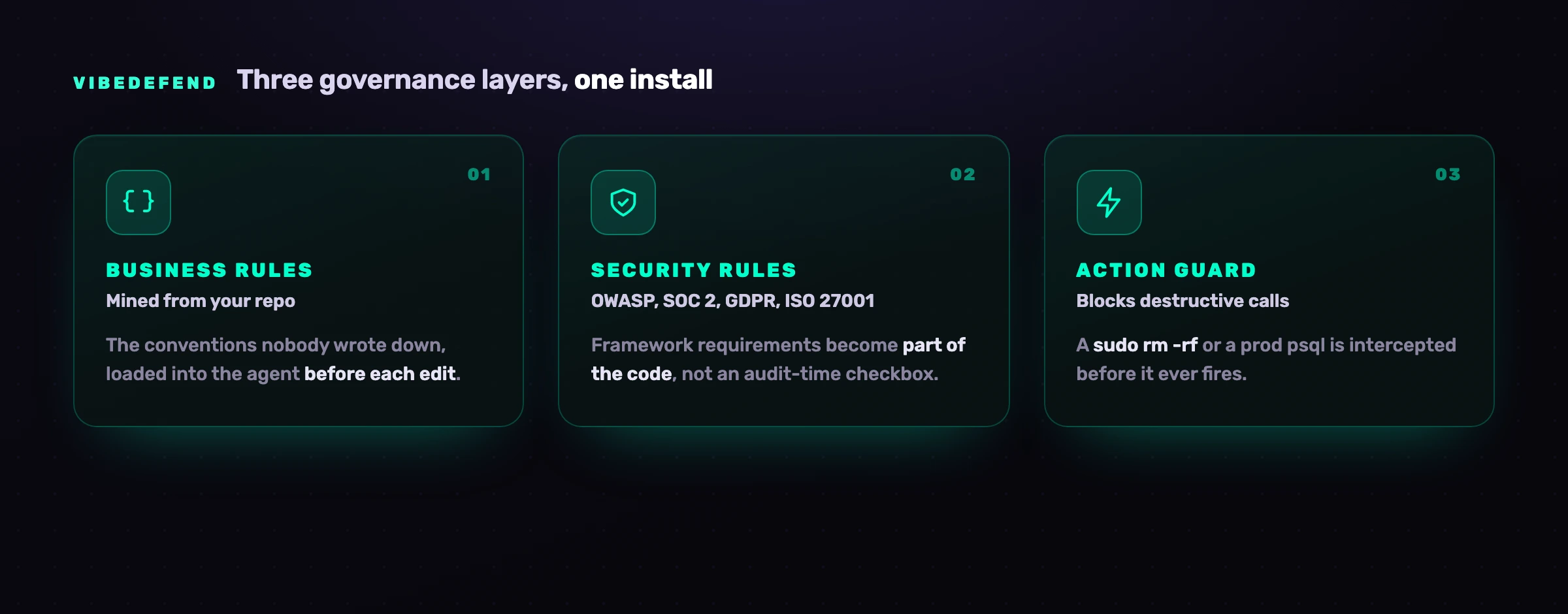
Business Rules The conventions in your repo that were never written down (use Decimal128 for money, authorization goes through requireOwner). VibeDefend mines them from how your team already codes and loads them into Copilot's context before each edit. Security Rules OWASP Top 10, SOC 2, GDPR and ISO 27001, loaded the day you install. The assistant reads the applicable reminder before it writes, so the framework requirement becomes part of the code instead of an audit-time checkbox. Action Guard In Claude Code, Cursor and Codex, destructive calls (a sudo rm -rf, a raw read of a secret-shaped env var, an ad-hoc psql against a production host) are intercepted before they fire. Warn or block per rule, with every interception in the audit trail. Live Findings Every result from CybeDefend's scanners (SAST with reachability, SCA, secrets, IaC and CI/CD) is live in the agent's context, so it does not only write safe code, it triages and fixes the vulnerabilities you already have.
One honest caveat for Copilot specifically: VS Code Copilot gets the MCP and rule layers (Business Rules and Security Rules reach the agent's context at prompt time), but no Action Guard, so VibeDefend does not intercept any call in Copilot. Guards on commands run in Claude Code, Cursor and Codex. The rule layers, which is where most of the security leverage sits, work in Copilot today.
Where your code goes matters for a control this close to it, so here it is plainly. To serve the rules that fit the line being written, VibeDefend sends a short excerpt of that code to the CybeDefend backend, and the scan before the commit sends the changed files, both in the EU or US region you pick at install, and your code is never used to train a model. The two regions are physically separate.
This is not a replacement for the practices above. It is the missing layer they assume exists: the one that puts your rules in the assistant's hands at prompt time, so the insecure line is rewritten before it is ever suggested, instead of caught three stages later by a scanner reading a diff nobody had time to read. Content exclusions decide what Copilot may read; VibeDefend shapes what it writes in the first place.
Frequently asked questions
Is GitHub Copilot safe?
GitHub Copilot is reasonably safe when its controls are configured, and risky when they are assumed. On business and enterprise plans, content exclusions, secret scanning with push protection, the public-code filter, IP indemnity and code scanning with Autofix prevent a large class of accidents. The residual risk comes from the code it suggests (around 40% of Copilot completions were vulnerable in the Cornell and NYU study), from inputs (prompt injection through repos, issues and comments), and from culture (over-trusting fluent output). Treat it as a capable assistant that needs configuration, human review and a prompt-time control, not as a tool that is secure out of the box.
Does GitHub Copilot leak secrets?
It can, in two ways. GitGuardian found that repositories using Copilot leak roughly 40% more secrets than typical public repositories, largely because faster code production means faster accidental commits. Copilot can also propagate a secret that already sits in the context it can see, surfacing it in a suggestion or a Chat answer. Secret scanning and push protection are the backstops and they catch well-known token formats reliably, but custom, internal or obfuscated secrets can slip through. Keep secrets out of context with a vault, enable push protection, add custom detection patterns, and rotate anything that appears in a transcript.
Does Copilot train on or store my code?
It depends on your plan. Since 24 April 2026, GitHub uses the interaction data of Copilot Free, Pro, Pro+ and Max to train its models unless you opt out: your prompts, the suggestions you accept or edit, the code snippets sent to the model and the context around them, including code from a private repository while Copilot is working in it. Code stored in your repositories is not used, and the data may go to Microsoft but not to third-party model providers. To opt out, click your profile picture on GitHub, open Copilot settings and, under Privacy, set "Allow GitHub to use my data for AI model training" to Disabled. It applies from that moment on, not to data already collected. Copilot Business and Enterprise are excluded by GitHub's Data Protection Agreement, and so are accounts that are members or outside collaborators of a paid organization. For sensitive code, use a Business or Enterprise seat, keep specific files out of context with content exclusions, and read GitHub's current terms before adopting Copilot on regulated work.
What are content exclusions and .copilotignore?
Content exclusions are a server-side setting, configurable by repository admins, organization owners and enterprise owners, that tell Copilot to ignore named files so they do not inform completions, Chat or code review. .copilotignore is a separate, client-side mechanism in VS Code that lets an individual developer exclude files locally. Both are useful for keeping secrets and sensitive paths out of the model's context. The important caveat is coverage: content exclusions do not apply to the Copilot CLI, the coding agent, or agent mode in Chat inside IDEs, so do not assume an exclusion rule protects you on the agentic surfaces.
Does Copilot generate insecure code?
Yes, often enough to matter. The Cornell and NYU "Asleep at the Keyboard?" study generated 1,689 programs in scenarios drawn from MITRE's Top 25 CWEs and found roughly 40% vulnerable, with flaws like unsafe deserialization, weak input validation and improper authentication. Copilot reproduces the insecure patterns common in the public code it learned from. The mitigation is independent review and SAST as a gate, plus a prompt-time control that loads your security rules before the suggestion is written.
Is Copilot's IP indemnity enough to cover legal risk?
It helps, but it is conditional, not a blanket guarantee. Microsoft's IP indemnity will defend customers against copyright claims arising from an unmodified Copilot suggestion, but only on qualifying paid plans, only when the duplication-detection filter is enabled, and only for suggestions used unmodified. The normal developer workflow (editing a suggestion before committing it) and running with the filter off both narrow that coverage. Treat indemnity as a backstop, keep the public-code filter on, and apply the same license and provenance review to substantial Copilot output that you would give any third-party code.
How is Copilot security different from Claude Code, Cursor or Codex?
The fundamentals are shared (least privilege, secrets hygiene, human review, dependency scanning), but the headline surfaces differ. Copilot's distinctive issues are insecure suggestions and secret leakage at scale, plus the new injection surface of its Chat and coding agent. Claude Code's distinctive surface is deep MCP and shell integration; Cursor's has been Workspace Trust disabled by default; Codex's has been command-injection and supply-chain incidents. We cover each agent in its own guide: Claude Code, Cursor and OpenAI Codex.
Is GitHub Copilot safe to use in regulated industries?
Yes, on Copilot Business or Enterprise, and only with the controls around it. Those tiers are excluded from model training by contract and sit inside GitHub's SOC 2 Type II and ISO 27001 scope, which is what a bank, an insurer or a hospital needs on paper. What they do not give you is a review of the code Copilot writes: content exclusions keep secrets out of prompts, but nothing checks that a suggestion respects PSD2, HIPAA or your own authorisation rules. Regulated teams pair the Enterprise tier with branch protection, a security scan on every pull request and an agent-time control that enforces the business rules at the line.