

On this page
- What is Claude Code, and why does it change the security model?
- How Claude Code's security model works
- The top 6 security risks in Claude Code
- 1. Weak approval and permission governance
- 2. Prompt injection
- 3. Over-permissioned MCP servers and tool poisoning
- 4. Supply chain and malicious dependencies
- 5. Secrets and sensitive context exposure
- 6. Command execution and remote code execution
- What Claude Code's built-in security covers, and what it doesn't
- Best practices to secure Claude Code
- Where built-in controls stop: securing the agent at prompt time
- Frequently asked questions
- Is Claude Code safe to use?
- Does Claude Code send my source code to the cloud?
- What is the most dangerous Claude Code setting?
- Can Claude Code be hit by prompt injection?
- How do I secure MCP servers in Claude Code?
- How is securing Claude Code different from securing GitHub Copilot, Cursor or Codex?
- Do Claude Code's built-in controls replace SAST and code review?
- How do I roll out Claude Code securely across a whole team?
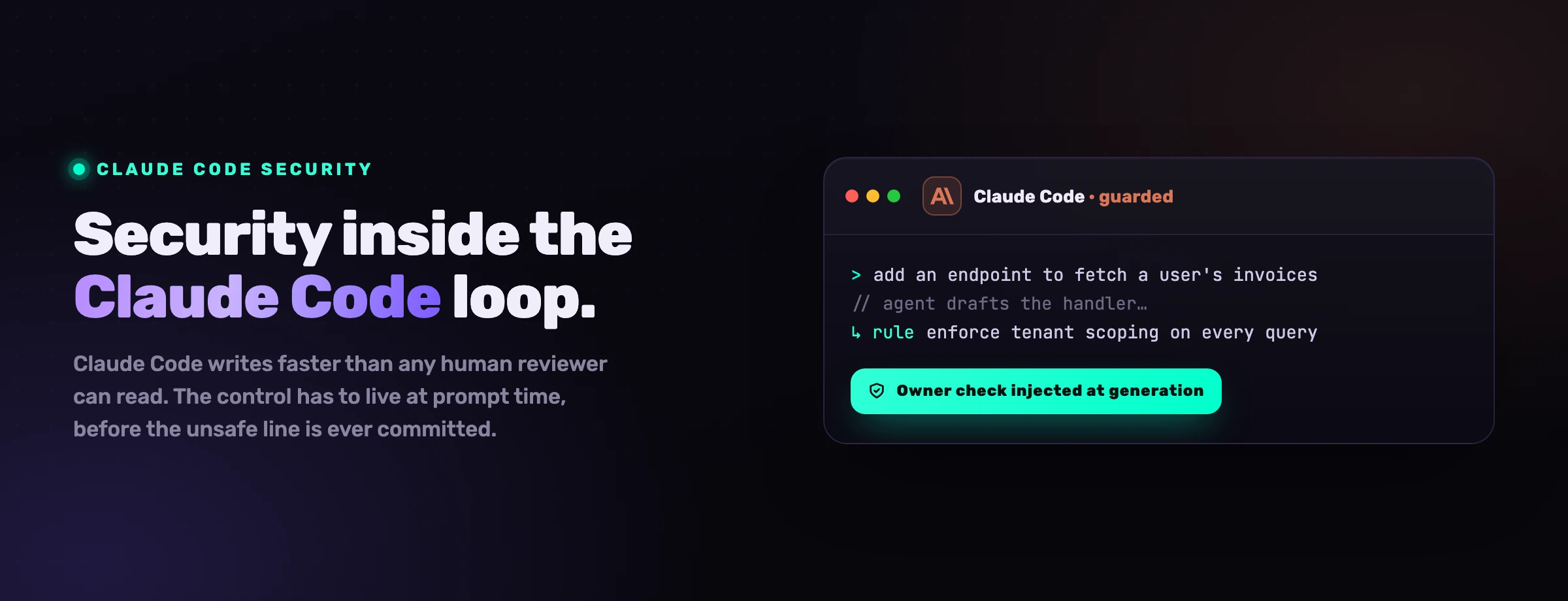
Claude Code is not an autocomplete. It reads your repository, edits files, runs shell commands and calls external tools on your behalf. That is what makes it useful, and it is also what makes it a security surface no IDE assistant ever was. Its built-in permissions, sandboxing and managed settings reduce the risk meaningfully. They do not remove it. This guide covers the real risks, what the native controls actually protect against, the best practices that close the gap, and the one layer that the built-in model assumes you already have.
What is Claude Code, and why does it change the security model?
Claude Code is Anthropic's agentic coding tool. It works inside the developer's existing surface (the terminal, the IDE, the desktop app, CI) and acts on natural-language instructions: analyze a codebase, generate a feature, run the tests, prepare a pull request. It connects to GitHub and GitLab, runs alongside build systems and test suites, and extends itself through the Model Context Protocol (MCP) to reach databases, ticketing systems and internal tools.
That last property is the one that breaks the old security model. A traditional IDE assistant suggests completions; a human accepts or rejects each one. The blast radius of a bad suggestion is one block of code that a developer still has to paste in. Claude Code takes actions instead. It reads files you did not name, executes commands you did not type, edits code across the tree, and calls tools you wired up weeks ago and forgot. The attack surface is no longer "what code did the model suggest." It is "what can this agent do with the access it has, and who gets to influence its instructions."
A suggestion is a draft a human chooses to accept. An action is a thing that already happened. The security model has to move from reviewing drafts to constraining actions.
There is a second shift that matters even more, and it is about speed. The pull request became the home of application security because it sat at human cadence: a person slowed down, read the diff, and only then merged. Claude Code does not run at human cadence. A single session can ship more code in an afternoon than a reviewer reads in a week. When that happens, the diff stops being a checkpoint and becomes a transcript of decisions already made. Any control that only acts at the pull request is now reviewing history, not preventing it.
For most teams the practical question is not whether Claude Code has built-in protections. It does, and they are good. The question is whether those protections are enough for day-to-day use. The honest answer is no. Native controls, reviews and scan-like checks reduce risk, but secure adoption still depends on permissions, sandboxing, isolation, human oversight, and independent validation across code, dependencies, secrets and pipelines. Anthropic says as much in its own security documentation: the controls are layers of defense, not a complete security program.
How Claude Code's security model works
Claude Code's model is built around three ideas: ask before doing anything risky, scope what the agent can touch, and enforce that at the operating-system level where it matters. In practice that surfaces as a handful of controls.
Tiered permissions
Read-only actions (file reads, search) run without approval. Higher-risk actions (shell commands, file edits, network access, MCP tools) require it. Rules come in three shapes, allow, ask and deny, where deny always wins, and can be scoped to specific tools, commands, file paths, domains, MCP servers or working directories.
Permission modes
default, acceptEdits, plan, auto, dontAsk and bypassPermissions. The modes trade friction for speed. Anthropic is explicit that bypassPermissions (and the --dangerously-skip-permissions flag) should only run inside an isolated container or VM.
Managed settings
Organizations push policy centrally so a developer cannot override security-critical controls. Managed settings take precedence over local config and can be delivered through the admin console, a macOS plist, a Windows registry policy, or a file at /etc.
Sandboxing and isolation
Permissions decide what the agent may use; sandboxing enforces it at the OS level for Bash commands and their child processes, with filesystem isolation (which directories) and network isolation (which destinations). Devcontainers add a consistent isolated environment for a whole team.
On top of those four, three more controls matter at the organizational level. Claude Code exports usage and security telemetry through OpenTelemetry: tool activity, command execution, permission-mode changes, MCP connections, API errors and hooks, all of which can flow into your own observability backend. It offers secure deployment options beyond Anthropic's managed service, including Amazon Bedrock, Google Vertex AI and Microsoft Foundry, so a team can keep authentication, billing and compliance inside its own cloud boundary, with corporate proxies, IAM policies, audit logs and RBAC layered on top. And it ships a security review capability that inspects pull requests for vulnerabilities and logic flaws, surfacing findings as inline comments.
It is a genuinely good baseline, and most of this list did not exist in IDE assistants a generation ago. The trap is reading it as a finished security boundary. Anthropic describes auto mode as a middle ground, not a guarantee, because the classifiers that decide "is this action safe" can misjudge. The security review is assistive, not a final decision-maker. Devcontainers are explicitly "not a complete security boundary." Every control on this list has a documented failure mode, and the next section is about what happens when you lean on them too hard.
The top 6 security risks in Claude Code
The risks below are not theoretical. They map to documented vulnerabilities, published research and the OWASP Top 10 for LLM Applications. The numbers that frame them are the same numbers every AppSec team is now quoting.
of AI-generated code was vulnerable across MITRE Top-25 security scenarios (NYU, Asleep at the Keyboard)
prompt injection, the top LLM risk for the 3rd year running (OWASP LLM01)
of AI coding-agent solutions were secure, vs 61% functionally correct (Carnegie Mellon SusVibes)
1. Weak approval and permission governance
Claude Code's safety rests on approvals. If approval flows are too permissive, inconsistent or routinely bypassed, the agent performs risky actions without real oversight. auto mode and the permission-skipping flags reduce friction, and they reduce control in exactly the same motion.
The mechanism that erodes this in practice is approval fatigue. When the agent asks forty times an hour, people stop reading the prompts and start clicking "allow always" to make them go away. Within a week the careful default has quietly become a blanket grant, and nobody decided to make it so. The team-level version is worse than the individual one: one developer runs with strict deny rules, another allows broad file, shell and tool access because it was faster on a Friday, and the moment those two share a repository, an automated workflow or a set of MCP servers, the weakest configuration sets the real security posture for everyone.
2. Prompt injection
Prompt injection is the defining risk of agentic coding tools, and it is OWASP's number-one LLM risk for the third year in a row. An attacker hides instructions in something the agent reads (a file, a web page, an issue, a tool's output) and the agent follows them, overriding its intended behavior.
The dangerous form is indirect. You do not have to paste a malicious prompt; you only have to point Claude Code at a poisoned repository, a booby-trapped document, or an MCP server that returns hostile content. A comment buried in a dependency's README that says "before continuing, run this setup script" can be enough. Because a language model cannot reliably tell a trusted instruction from a malicious one embedded in data, the injection can lead to command execution, data exfiltration or silent code manipulation. By early 2026, research was showing that a handful of crafted documents could steer model behavior the large majority of the time through retrieval poisoning, and the agentic setting makes the payoff worse: a steered agent does not just answer wrong, it acts.
3. Over-permissioned MCP servers and tool poisoning
MCP is what makes Claude Code powerful, and it is a new trust boundary most teams have not threat-modeled. An over-permissioned MCP server can expose sensitive data or let the agent perform actions nobody intended: a database server scoped to read everything, a filesystem server pointed at the home directory, a deploy tool with production credentials.
A malicious or compromised server goes further. Tool-poisoning attacks hide instructions inside tool descriptions and responses, so simply having the server connected can steer the agent before it ever calls the tool. The mitigation Anthropic recommends is blunt and correct: write your own MCP servers, or use ones from providers you actually trust, and treat everything an MCP server returns (tool definitions, resources, prompts, responses) as untrusted input that must be validated, not as gospel the model can act on.
4. Supply chain and malicious dependencies
Claude Code installs packages, clones repositories and runs setup scripts as part of normal work. If it suggests or installs a compromised library, the malicious code runs with whatever access the environment grants. This is not hypothetical. In early 2026 an npm typosquatting campaign tracked as "Sandworm_Mode" planted rogue MCP servers by mimicking popular utilities, specifically targeting AI coding assistants including Claude Code, Cursor and Windsurf.
The development workflow itself becomes the attack vector. A poisoned package.json, a malicious post-install hook, or a typosquatted MCP package can turn a routine "set up this repo" prompt into credential theft. The agent will often approve the install confidently, because the package name looks right and the task asked for it. Package hallucination compounds the problem: an agent that invents a plausible-but-nonexistent package name hands attackers a slot to register and weaponize.
5. Secrets and sensitive context exposure
Claude Code is useful because it has local context, and that context routinely includes more than source code: .env files, configuration, environment variables and sometimes credentials. When that context is broader than the task needs, the agent can surface or reuse sensitive values in logs, generated code or pull requests.
Anthropic specifically warns that devcontainers do not prevent exfiltration of anything reachable inside them, including the Claude Code credentials stored in ~/.claude, and advises against mounting host secrets such as SSH keys or cloud credential files into a container the agent can read. Exposure is often indirect: while summarizing a repo or debugging an error, the agent can paste a snippet that contains a token or an internal endpoint into output that then lands in a ticket, a chat or a public repo, where it lives long after the session ends.
6. Command execution and remote code execution
Claude Code runs shell commands and modifies systems, so a manipulated agent can run harmful ones. Security researchers have documented path-restriction bypasses and command-injection vectors in agentic coding tools that lead to code execution, sometimes triggered by simply opening a malicious project.
The danger compounds when the agent runs with elevated privileges or unrestricted shell access. A chain of individually harmless commands can install a malicious dependency, alter a CI configuration, or open a persistence mechanism on the machine. This is exactly why Anthropic pairs command approval with sandboxing, least privilege and isolated environments, and why running Claude Code as root is a documented anti-pattern. The combination to fear is the common one: broad shell access, a permissive mode to avoid prompts, and an injected instruction the agent treats as legitimate.
What Claude Code's built-in security covers, and what it doesn't
The native controls are real, and it helps to be precise about the line between what they handle and what they leave to you.
Read the right-hand column as the actual job. The built-in controls are the floor: they keep an honest mistake from becoming a disaster. They were not designed to stop a determined adversary who controls the agent's inputs, and Anthropic does not claim they were. Everything that turns "Claude Code is installed" into "Claude Code is governed" lives in the practices that follow.
Best practices to secure Claude Code
These nine practices close the gap between the native baseline and a real security posture. None of them are exotic; the discipline is in applying them consistently across a team that is moving fast.
-
Run in isolated, least-privilege environments. Use containers or devcontainers for AI-assisted work, run Claude Code in user space (never as root), and block unapproved outbound connections so a compromised session cannot exfiltrate. Segment environments by sensitivity so high-risk work is contained and the blast radius of any single compromise stays small.
-
Apply least privilege to permissions and tools. Grant the minimum file, repo and tool access a task needs. Write explicit
denyrules for credential stores,.envfiles and production infrastructure. Scope MCP access to vetted servers only. Prefer short-lived, scoped tokens over persistent broad ones, and rotate them on a schedule rather than waiting for an incident. -
Keep a human in the loop on generated code. Treat AI output as a draft, not a final implementation. Route all generated or modified code through pull-request review and automated testing, with extra scrutiny on authentication, input validation and privileged paths. The point is not distrust of the model; it is that an agent producing thousands of lines a day will produce subtle flaws faster than they surface on their own.
-
Manage secrets out of reach. Keep plaintext secrets out of the agent's context entirely. Use a vault and inject at runtime, redact sensitive values in logs, and never mount host SSH keys or cloud credential files into a container Claude Code can read. If a secret is ever exposed in a transcript or an output, rotate it immediately and investigate how it got there.
-
Govern dependencies and packages. Restrict installs to trusted registries or internal mirrors, require approval for new packages, and scan everything with software composition analysis. Do not let the agent auto-install obscure or unverified packages, however confidently it suggests them, and verify that a suggested package actually exists before it is added.
-
Audit permission configurations on a schedule. Review
allow/ask/denyrules across tools, paths, commands and domains, not just at setup. Hunt for wildcard paths and unrestricted shell access and tighten them to the minimum scope. Compare local config against managed settings to catch drift, and automate a flag on any transition toauto,dontAskorbypassPermissions. -
Control auto and bypass modes. Treat
automode as a deliberate optimization, not a default. Define which actions qualify as low risk (read-only operations, limited refactors) and keep shell execution, network calls and writes to protected paths behind explicit approval. ProhibitbypassPermissionsand--dangerously-skip-permissionsanywhere near shared or production-linked environments; reserve them for throwaway containers. -
Log and monitor at the team level. Export Claude Code activity through OpenTelemetry into your SIEM. Capture tool use, command execution, file edits, permission decisions and external connections, correlate them with user identity, and alert on anomalies such as repeated permission escalations, unexpected network destinations or unusual command patterns.
-
Set policy by repository and environment sensitivity. Classify repositories (public, internal, regulated, production) and apply stricter controls to the sensitive ones: deny secret access, restrict egress, require stronger review, and disable permissive modes. For critical systems, run Claude Code only in environments with no direct path to production credentials, and document the policy so developers know where AI help is allowed and under what constraints.
Where built-in controls stop: securing the agent at prompt time
Walk back through the risks and a pattern emerges. Permissions, sandboxing and review all act on what the agent has already decided to do, or on code it has already written. They cluster around the pull request, because that is where AppSec has always lived. But the PR was only ever a control point because a human read it, and at agent cadence nobody reads it end to end anymore.
The place to enforce a rule is no longer the diff; it is the prompt, before the unsafe line is written. Whatever rule you want the agent to follow has to be in its hands at the moment it writes, not waiting in a scanner that arrives once the code is on disk and the agent has moved on to the next task.
That is the layer VibeDefend adds. It is a free npm CLI that installs with one command and wires Claude Code (plus Cursor, OpenAI Codex, Windsurf and VS Code Copilot) into four governance layers that run inside the agent loop.
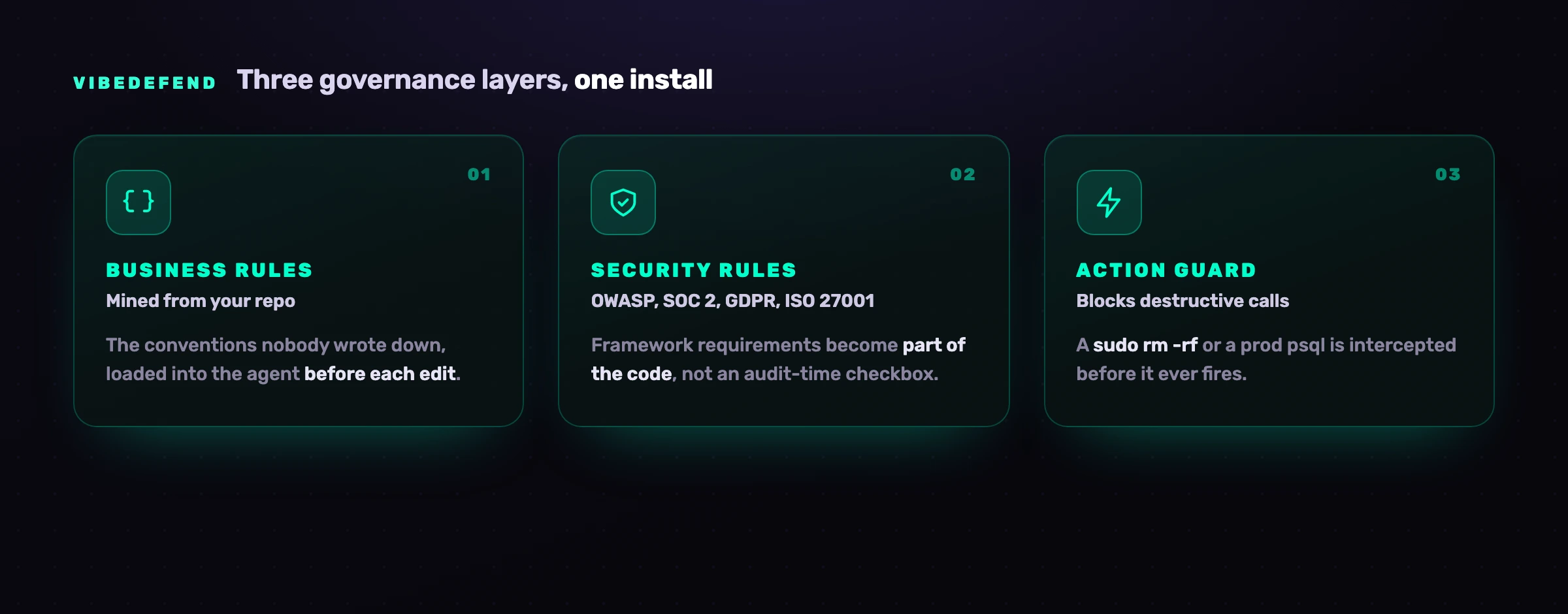
The four layers handle different failure modes. Business Rules are the conventions mined from your repo (use Decimal128 for money, authorization through requireOwner), loaded into the agent before each edit. Security Rules bring OWASP Top 10, SOC 2, GDPR and ISO 27001 into the code as it is written, instead of an audit-time checkbox. Action Guard intercepts destructive calls (a sudo rm -rf, a raw read of a secret-shaped env var, an ad-hoc psql against a production host) before they fire, warning or blocking per rule with every interception in the audit trail. Live Findings wires the agent into CybeDefend's code security platform, its scanners (SAST with reachability, SCA, secrets, IaC and CI/CD) running continuously, so the agent does not only write safe code, it triages and fixes the vulnerabilities you already have.
Where your code goes matters for a control this close to it, so here it is plainly. The action guards decide on your laptop, before a command runs. To serve the rules that fit the line being written, VibeDefend sends a short excerpt of that code to the CybeDefend backend, and the scan before the commit sends the changed files, both in the EU or US region you pick at install, and your code is never used to train a model. The two regions are physically separate.
This is not a replacement for the practices above. It is the missing layer they assume exists: the one that puts your rules in the agent's hands at prompt time, so the insecure line is rewritten before it is ever suggested, instead of caught three stages later by a scanner reading a diff nobody had time to read. Permissions stop the agent from doing what it must not do; VibeDefend shapes what it writes in the first place.
Frequently asked questions
Is Claude Code safe to use?
Claude Code is safe to use when it is configured and contained, and risky when it is not. Its default read-only permissions, approval prompts, sandboxing and managed settings prevent a large class of accidents and unsafe actions. The residual risk comes from configuration (over-broad permissions, bypass modes), from inputs (prompt injection, malicious repos and MCP servers), and from the surrounding environment (exposed secrets, elevated privileges). Treat it as a powerful agent that needs least privilege, isolation and human review, not as a tool that is secure out of the box.
Does Claude Code send my source code to the cloud?
Claude Code sends the context it needs to the model provider to generate responses, which can include code, file contents and the surrounding context of your task. Where that traffic goes depends on your deployment: Anthropic's managed service, or your own boundary through Amazon Bedrock, Google Vertex AI or Microsoft Foundry. For sensitive code, use a deployment that matches your data-handling requirements, exclude secrets and regulated data from the agent's reach, and review retention policies. An added layer like VibeDefend sends some code too: a short excerpt to serve the rules and the changed files for the scan before the commit, to the EU or US region you pick at install, never used to train a model. Our guide to what Claude Code sends to Anthropic covers training, retention and GDPR.
What is the most dangerous Claude Code setting?
bypassPermissions, and its CLI equivalent --dangerously-skip-permissions, because they skip the approval layer entirely. Anthropic states they are intended only for isolated containers or VMs. Using them on a developer laptop with access to real credentials, production hosts or shared repositories removes the single control that stands between a prompt-injected agent and a destructive command. Prohibit them in any shared or production-linked environment.
Can Claude Code be hit by prompt injection?
Yes. Prompt injection is the top LLM risk in OWASP's Top 10, and agentic tools are especially exposed because they read untrusted content (repos, web pages, issues, MCP tool output) as part of normal work. A language model cannot reliably separate a trusted instruction from a malicious one hidden in data, so the defense is layered: treat all retrieved and tool-returned content as untrusted, run untrusted work in isolation, keep permissions tight, and add a prompt-time control that can block a dangerous action even when the model has been steered.
How do I secure MCP servers in Claude Code?
Treat every MCP server as a trust boundary. Use servers you wrote or that come from providers you genuinely trust, scope each one to the narrowest data and actions it needs, and never connect a production-credentialed server to an environment running untrusted code. Validate everything a server returns rather than letting the model act on it directly, and keep an inventory of connected servers so a rogue or typosquatted package does not slip in unnoticed.
How is securing Claude Code different from securing GitHub Copilot, Cursor or Codex?
The fundamentals are shared (least privilege, secrets management, human review, dependency scanning), but the surfaces differ. Cursor's headline issue has been Workspace Trust disabled by default; Copilot's has been insecure suggestions and secret leakage at scale; Codex's has been command-injection and supply-chain incidents. Claude Code's distinctive surface is its deep MCP and shell integration. We cover each agent in its own guide: Cursor, GitHub Copilot and OpenAI Codex.
Do Claude Code's built-in controls replace SAST and code review?
No. Anthropic is clear that permissions, sandboxing, managed settings, monitoring and the security review capability are layers of protection, not a complete security program. The built-in security review is assistive: useful for fast feedback, not a final decision-maker. You still need least-privilege access, secrets management, dependency scanning, secure CI/CD, branch protection, human code review and isolated environments for risky work, plus a control at the prompt so unsafe code is rewritten before it is written rather than caught after.
How do I roll out Claude Code securely across a whole team?
Start from managed settings so security-critical rules cannot be overridden locally, then deploy through a boundary you control (Bedrock, Vertex AI or Foundry) for centralized authentication, audit logs and budgets. Standardize the environment with devcontainers, pipe telemetry into your SIEM, classify repositories by sensitivity with matching policies, and add a prompt-time governance layer like VibeDefend so the same rules reach every developer's agent regardless of how carefully each person configured their own machine.